Safa Marwah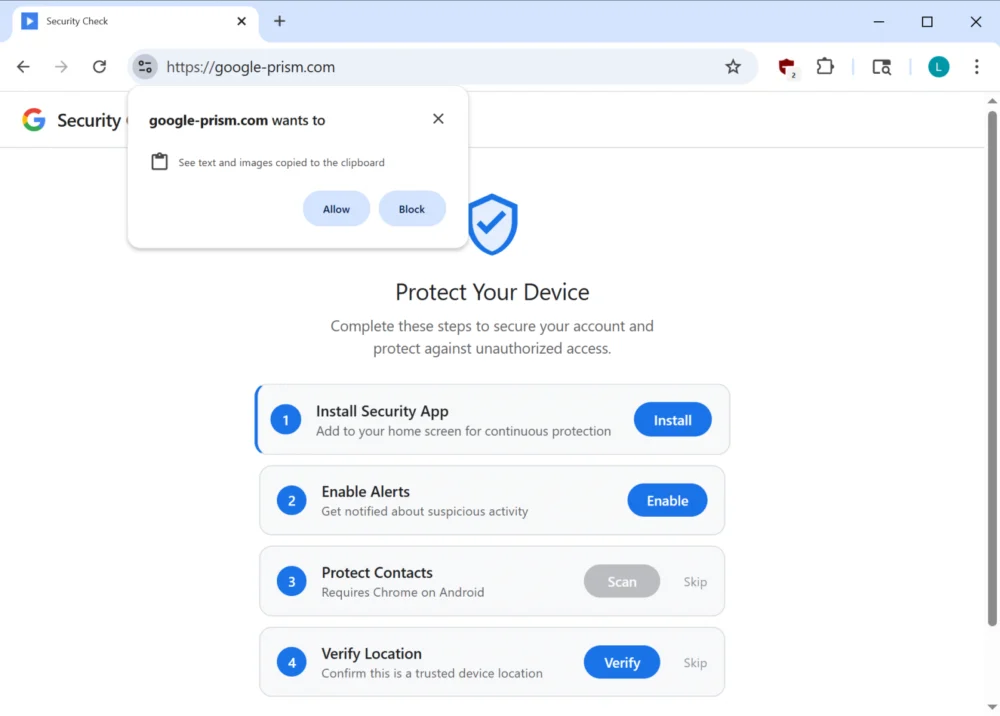
A highly deceptive cyber-attack is actively exploiting the capabilities of Progressive Web Applications (PWAs) alongside sophisticated social engineering tactics to compromise user accounts, bypass multi-factor authentication (MFA), and establish persistent control over victim devices, effectively transforming them into attacker proxies. This intricate campaign lures users to a counterfeit Google Account security portal, where they are coerced into installing a malicious web-based application designed to surreptitiously harvest sensitive data, including one-time passcodes, cryptocurrency wallet details, and personal contact information, while simultaneously enabling covert network reconnaissance and traffic relay for the attackers.
The Evolution of Phishing: Abusing Legitimate Web Technologies
The digital threat landscape is continually evolving, with adversaries increasingly moving beyond traditional email-based phishing to leverage advanced techniques that exploit legitimate web technologies. Progressive Web Applications (PWAs), initially conceived to offer users an enhanced, native-app-like experience directly from a web browser, have emerged as a new frontier for cybercriminals. PWAs combine the best features of web and mobile applications, offering offline capabilities, push notifications, and installation onto a device’s home screen, operating in their own dedicated window without typical browser chrome. While these features are beneficial for legitimate developers, their capacity to operate autonomously and mimic standalone applications makes them a potent tool for malicious actors seeking to establish stealthy persistence and bypass conventional security controls.
This particular campaign represents a significant escalation in sophistication, demonstrating how attackers are adept at manipulating user trust and browser functionalities. By masquerading as a critical security update from a reputable entity like Google, the perpetrators exploit the inherent trust users place in such brands. This method allows the malicious PWA to bypass the stringent review processes of official app stores, directly infiltrating user devices through a web browser. The appeal for attackers lies in the ability to deliver a persistent, interactive threat that can operate in the background, collect a wide array of data, and even facilitate further attacks by acting as an intermediary for malicious network traffic. The blurring lines between web applications and native applications, while advantageous for user experience, simultaneously creates new vectors for exploitation that demand heightened user vigilance and advanced defensive strategies.
Deceptive Foothold: The google-prism[.]com Facade
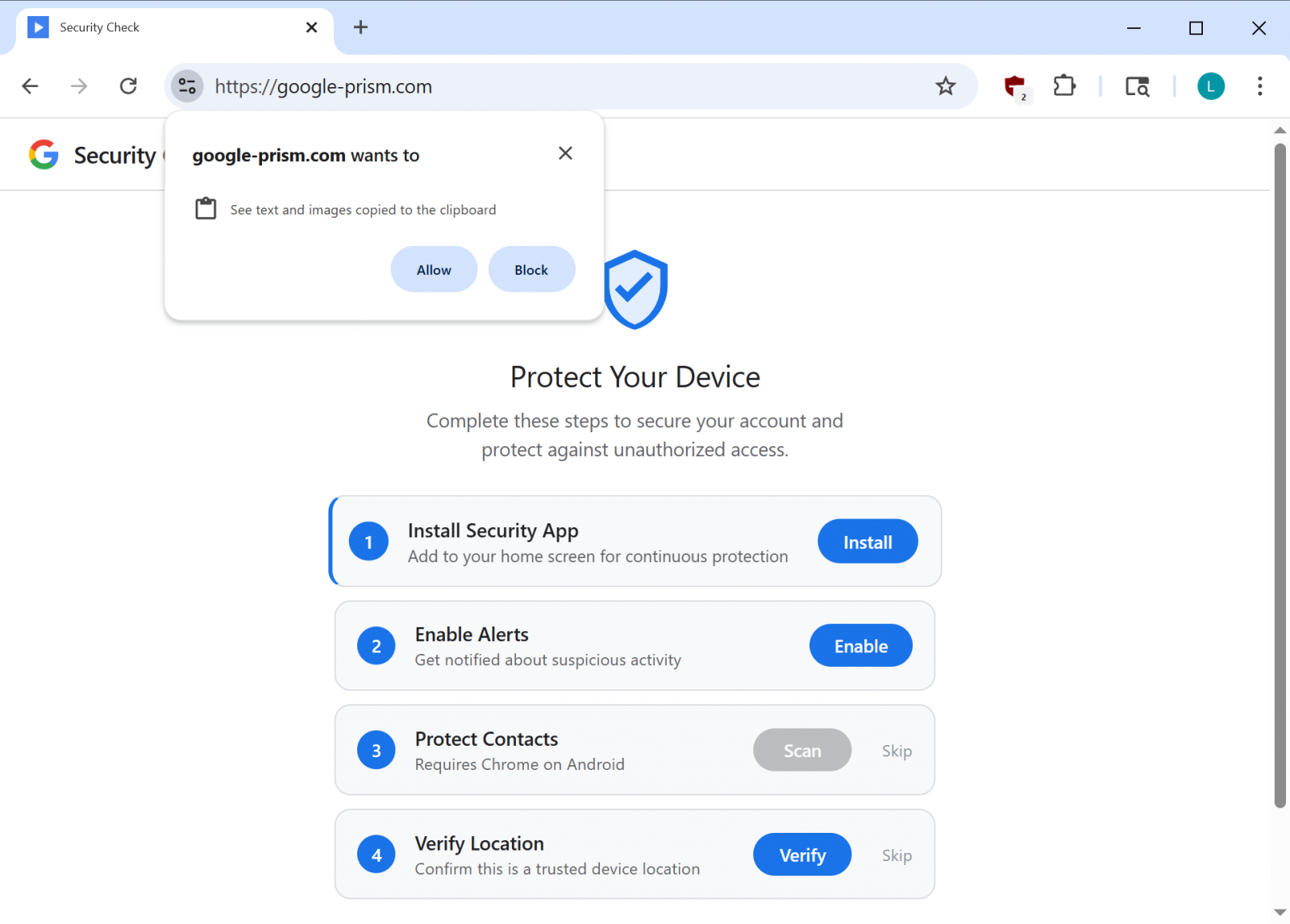
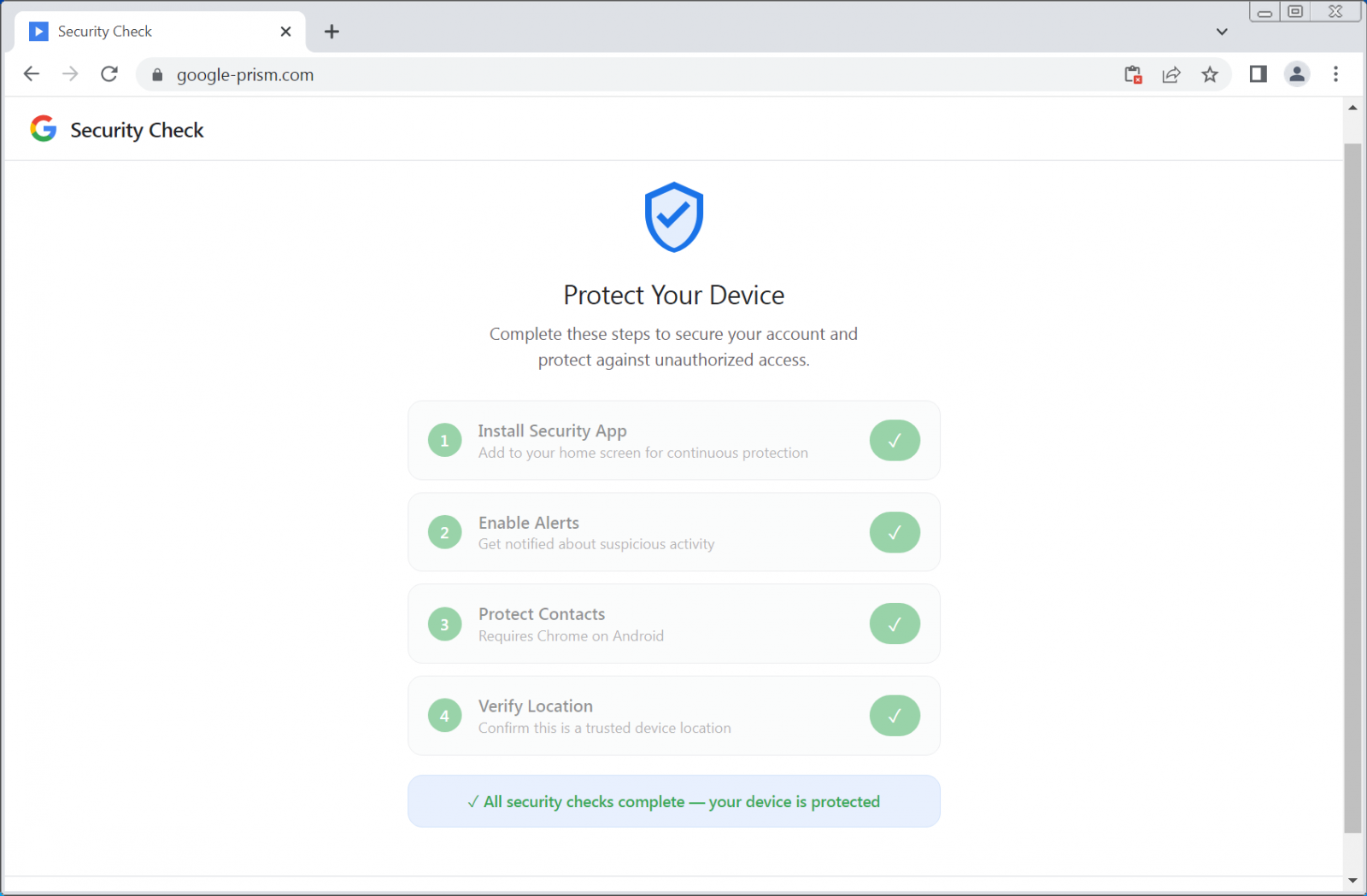
The initial vector of compromise in this campaign hinges on a meticulously crafted social engineering scheme. Victims are directed to a phishing domain, google-prism[.]com, which meticulously imitates a legitimate Google security service. The site presents a multi-step setup process, purporting to enhance the security and protection of the user’s Google Account and associated devices. This elaborate ruse is designed to systematically solicit and obtain highly privileged permissions from the unsuspecting user. The visual fidelity and interactive nature of the fake portal are crucial for convincing users that they are engaging with an authentic Google service, thereby lowering their guard and increasing the likelihood of compliance.

During this staged "security check," users are prompted through a series of steps that incrementally grant the malicious PWA extensive access to their device and personal data. These permissions are presented under the guise of enabling advanced security features, such as "device protection" or "enhanced authentication." This manipulative approach ensures that the victim willingly provides the necessary authorizations for the PWA to operate with maximal malicious capability. The campaign’s success is predicated on its ability to leverage perceived legitimacy, exploiting the common user’s desire for security and their trust in established technology providers. The seamless integration of these deceptive prompts within a seemingly legitimate workflow makes it exceptionally challenging for average users to discern the malicious intent behind the requests.
Anatomy of PWA Malice: Covert Data Exfiltration and Network Proxying
Once installed, the malicious Progressive Web App transforms the victim’s device into a potent instrument for data exfiltration and covert operations. Cybersecurity researchers have meticulously documented a range of capabilities embedded within this PWA, highlighting its advanced and multi-faceted threat profile. A primary objective is the theft of sensitive authentication credentials, particularly one-time passcodes (OTPs). The PWA achieves this by exploiting the WebOTP API, a legitimate browser feature designed to simplify the input of SMS verification codes. By intercepting these codes, attackers can effectively bypass multi-factor authentication, gaining unauthorized access to compromised accounts and significantly escalating the risk of identity theft and financial fraud.
Beyond OTPs, the PWA is engineered to harvest a wealth of personal data. It actively monitors and exfiltrates the contents of the device’s clipboard, specifically targeting cryptocurrency wallet addresses, which can lead to direct financial losses. Furthermore, the application is capable of extracting user contact lists, which can be leveraged for subsequent phishing campaigns or other social engineering attacks. Real-time GPS data is also collected, enabling precise location tracking of the victim. A sophisticated device fingerprinting module further enhances the attacker’s reconnaissance capabilities, compiling detailed information about the compromised device for future targeting or exploitation.
One of the most concerning features of this malicious PWA is its ability to act as a network proxy and internal port scanner. Through a WebSocket relay and an embedded HTTP proxy, the attackers can route web requests directly through the victim’s browser. This functionality allows the threat actors to anonymously conduct network reconnaissance within the victim’s local network, identifying live hosts and potential vulnerabilities. The ability to proxy traffic through a compromised browser is particularly insidious, as it allows attackers to bypass perimeter security measures, obfuscate their origin, and potentially launch further attacks from within the victim’s trusted network environment. This establishes the victim’s device as a covert command-and-control node, capable of executing arbitrary fetch requests with specified methods, headers, credentials, and bodies, and returning full responses, including headers, directly to the attackers.
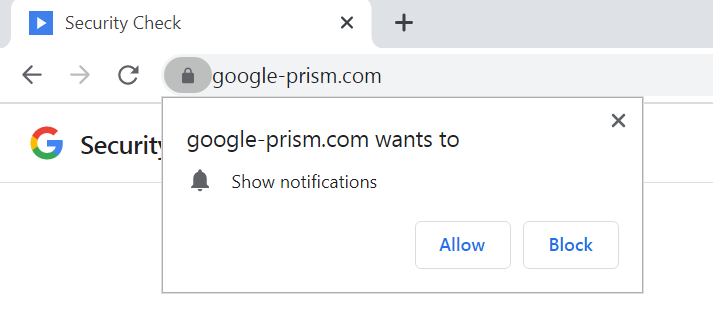
Persistence is maintained through several mechanisms, including the abuse of browser push notifications. Attackers can leverage these notifications to send fake security alerts, tricking users into reopening the malicious PWA, thereby reactivating its clipboard monitoring and other functions. The PWA also incorporates a service worker responsible for managing these push notifications, executing tasks from received payloads, and preparing stolen data for local storage and subsequent exfiltration. Moreover, the inclusion of a handler for Periodic Background Sync, a feature in Chromium-based browsers, ensures that the malicious PWA can periodically synchronize data in the background, allowing the attacker to maintain a connection to the compromised device for extended periods, as long as the application remains installed.
The Android Companion: Deeper Compromise on Mobile Devices
In certain instances, the phishing campaign extends its reach beyond the browser, offering a malicious Android companion application to users who opt for "enhanced security features." This mobile application, presented as a "critical security update" purportedly "verified by Google," promises to extend protection to the user’s contacts. However, it is, in reality, a sophisticated piece of malware designed for extensive device compromise. The sheer breadth of permissions requested by this Android Package Kit (APK) — numbering 33 in total — underscores its aggressive intent. These permissions include highly sensitive access to SMS messages, call logs, the microphone, contacts, and crucially, the accessibility service.
Each of these permissions grants the attackers a distinct and dangerous capability. Access to SMS messages enables the interception of OTPs, further facilitating MFA bypass and financial fraud. Call logs provide valuable intelligence for social engineering. Microphone access permits covert eavesdropping, transforming the device into a surveillance tool. Contact list access can be leveraged for broader phishing campaigns or identity theft. Perhaps most alarming is the request for the accessibility service, a powerful Android feature intended to assist users with disabilities. When abused, the accessibility service can grant attackers the ability to monitor user input, manipulate the user interface, capture keystrokes (effectively acting as a keylogger), and intercept credentials auto-filled into legitimate applications.
To ensure enduring control, the malicious APK employs robust persistence mechanisms. It registers itself as a device administrator, making uninstallation significantly more challenging for the average user. A boot receiver is established to ensure the malware automatically executes upon device startup, and scheduled alarms are configured to restart any terminated components, thereby maximizing uptime and operational continuity for the attackers. Furthermore, analysis of the APK has revealed components indicative of potential future overlay-based attacks. This suggests a roadmap for future exploitation, where the malware could present fake login screens over legitimate applications to steal credentials directly from banking apps or other sensitive platforms. The combination of extensive permissions and advanced persistence mechanisms makes this Android companion app a formidable threat, capable of deep system compromise and pervasive data theft.
Broader Implications and Enterprise Risk
The implications of this sophisticated attack extend far beyond individual user compromise, posing significant risks to corporate environments. An employee falling victim to such a campaign could inadvertently create a critical breach point within an organizational network. The PWA’s ability to function as an HTTP proxy and internal port scanner means that an attacker could leverage a compromised employee device to conduct reconnaissance within the corporate network, identify vulnerable systems, and potentially launch further, more targeted attacks from an "insider" perspective, bypassing traditional perimeter defenses. This presents a considerable challenge for enterprise security teams, as the malicious traffic originates from a seemingly legitimate internal source.
For individuals, the consequences are severe, ranging from direct financial fraud through stolen cryptocurrency and intercepted banking OTPs, to profound privacy invasion through GPS tracking, contact exfiltration, and potential microphone access. The erosion of trust in digital security mechanisms, particularly in features like PWAs and MFA, is another significant collateral damage. Users, once accustomed to the convenience and security of these technologies, may become hesitant or skeptical, impacting the broader adoption and effectiveness of legitimate digital innovations.
Mitigation Strategies and Defensive Posture
Effective defense against such a multifaceted threat requires a combination of robust technological safeguards and heightened user awareness.
For Individual Users:
- Extreme Skepticism: Treat all unsolicited security prompts, especially those requesting software installation or extensive permissions, with extreme caution. Google does not conduct security checks via pop-up web pages or demand software installation for enhanced protection.
- Verify URLs: Always meticulously verify the URL of any security-related page. Legitimate Google security tools are exclusively accessible through
myaccount.google.com. Pay close attention to subtle misspellings or unusual domain extensions. - Understand Permissions: Before granting any permissions to a web application or installing an Android app, carefully review the requested access. Question why an application needs access to sensitive data like contacts, SMS, or the microphone.
- Official Channels Only: Download applications only from official and trusted sources, such as the Google Play Store or Apple App Store, and always cross-reference developer information.
- Strong Security Hygiene: Implement strong, unique passwords for all accounts, enable hardware-based MFA wherever possible, and keep all operating systems and applications updated to their latest versions.
- Removal Steps:
- Malicious Android APK: Look for an app named "Security Check" or "System Service" (with package name
com.device.sync) in your installed apps. If it has device administrator access (found under Settings > Security > Device admin apps), revoke that access first, then proceed to uninstall the app. - Malicious PWA:
- Chromium-based Browsers (Chrome, Edge): Navigate to
chrome://appsoredge://apps, right-click the malicious PWA (e.g., "Google Security Check"), and select "Remove." Ensure "Also clear data from Chrome" or equivalent is checked. - Safari: Go to Safari > Settings > Websites > Notifications and remove any suspicious entries. For the PWA, it might appear in the Applications folder if it was added to the Dock, and can be deleted like a regular application.
- Firefox: While its capabilities are restricted on Firefox, push notifications might still be active. Check Firefox settings for site permissions and notification management.
- Chromium-based Browsers (Chrome, Edge): Navigate to
- Malicious Android APK: Look for an app named "Security Check" or "System Service" (with package name
For Organizations:
- Comprehensive Security Awareness Training: Regularly educate employees on advanced phishing techniques, the dangers of unsolicited software installations, and the importance of verifying URLs.
- Endpoint Detection and Response (EDR): Deploy EDR solutions capable of detecting anomalous process behavior, unauthorized network connections, and suspicious data exfiltration attempts.
- Network Monitoring: Implement robust network monitoring to detect unusual proxy traffic originating from internal endpoints or suspicious outbound connections.
- Content Filtering and DNS Blocking: Utilize content filtering and DNS blocking services to prevent access to known malicious domains like
google-prism[.]com. - Mobile Device Management (MDM): Enforce MDM policies to restrict app installations from untrusted sources, manage device permissions, and ensure timely security updates.
- Principle of Least Privilege: Implement the principle of least privilege across all user accounts and systems to minimize the impact of a potential compromise.
Future Outlook: The Expanding Frontier of Web-Based Threats
This campaign serves as a stark reminder of the escalating sophistication of cyber threats and the continuous innovation by malicious actors. The exploitation of legitimate web technologies like PWAs, coupled with highly effective social engineering, is likely to become a more prevalent tactic. Attackers will continue to seek methods that bypass traditional security layers and leverage user trust in established platforms.
Browser vendors and operating system developers face an ongoing challenge to enhance security features around powerful Web APIs, providing clearer warnings and more granular control to users regarding permissions. The cat-and-mouse game between attackers and defenders will intensify, demanding continuous adaptation, proactive threat intelligence, and a collective commitment to cybersecurity best practices. The incident underscores the critical need for both individuals and organizations to maintain a vigilant and adaptive security posture in an increasingly interconnected and threat-laden digital world.




 Lisa Mariana
 Aura Kasih
 Ayu Aulia