
 Safa Marwah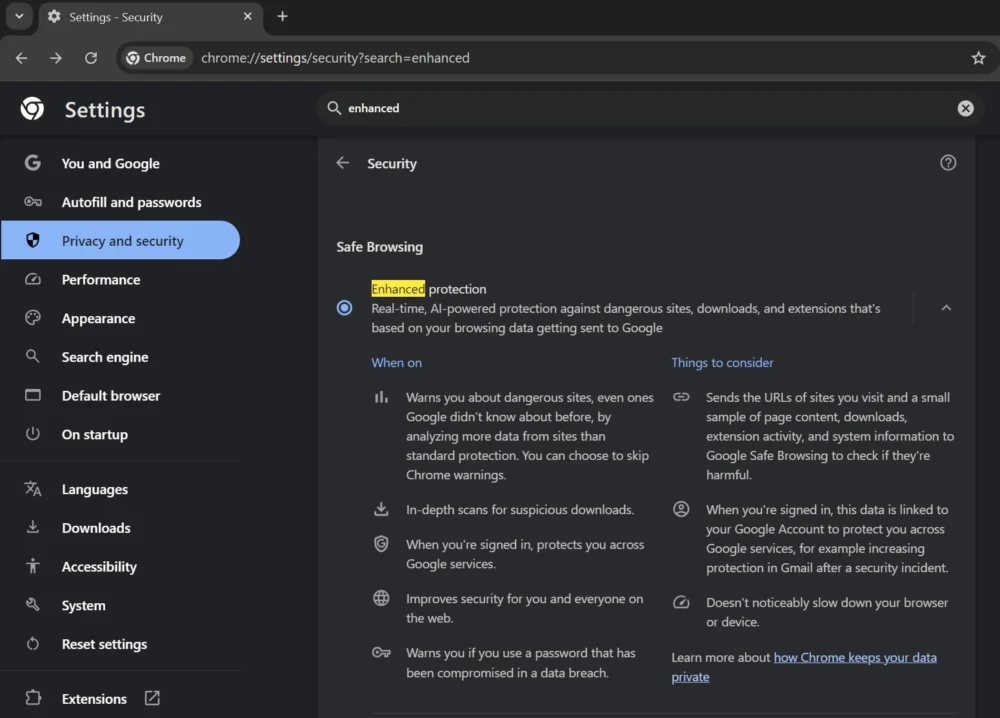
Google’s widely adopted Chrome browser is now empowering users with the ability to manage and deactivate the integrated artificial intelligence models operating directly on their devices, which underpin advanced security features designed for real-time threat detection and content assessment. This development marks a significant step in offering greater user autonomy over the increasingly sophisticated, AI-driven mechanisms embedded within everyday software, particularly those related to privacy and system performance.
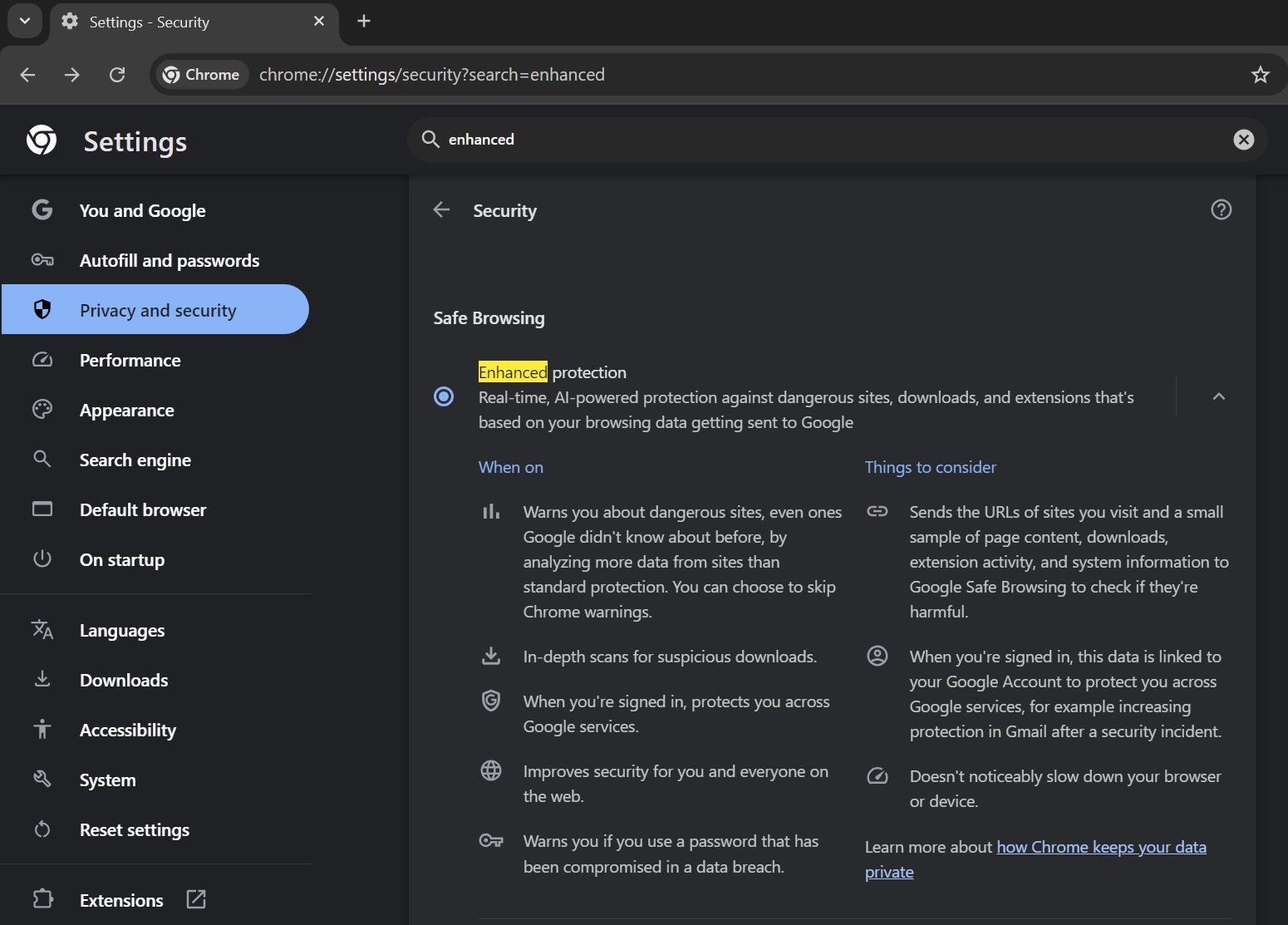
For several years, Google Chrome has featured an "Enhanced Protection" setting, a robust security layer engineered to safeguard users against a spectrum of online dangers. Initially relying on cloud-based threat intelligence and signature databases, this protection suite received a substantial upgrade last year through the incorporation of proprietary machine learning algorithms. These on-device AI models were introduced to augment the browser’s capacity for proactive threat identification, enabling it to discern emerging threats such as phishing attempts, malicious websites, and deceptive downloads with greater speed and nuance, even those not yet cataloged in traditional threat registries. The shift towards local processing for these advanced analytical tasks underscores a broader industry trend to leverage the computational capabilities of end-user devices for enhanced privacy and responsiveness.

The exact methodologies employed by these integrated AI models remain largely proprietary, yet their purpose is clear: to elevate the browser’s defensive posture beyond conventional blocklists. Unlike reactive security measures that depend on known signatures or reported malicious URLs, an on-device AI can perform dynamic analysis of web page elements, scripts, download characteristics, and user interaction patterns. This allows for the real-time identification of suspicious behavioral anomalies that might indicate a novel scam or a sophisticated malware delivery mechanism. For instance, the AI could analyze the linguistic style of a webpage for common phishing tropes, scrutinize the metadata and execution patterns of a downloaded file, or evaluate the reputation and behavior of browser extensions, providing an immediate layer of defense before data is potentially compromised or a system is infected.
The introduction of on-device AI models for security features presents a dual benefit. From a performance standpoint, processing security analyses locally can reduce latency, as decisions are made instantaneously without requiring a round trip to Google’s cloud servers. This can lead to faster warnings and a more seamless browsing experience. More significantly, from a privacy perspective, conducting these analyses on the user’s device means that potentially sensitive browsing data, download information, or content snippets do not necessarily need to leave the user’s machine for security checks. This architectural choice aligns with growing user expectations for data minimization and local data processing, especially concerning personal browsing habits and interactions.
However, the presence of these AI models also raises questions about resource consumption and user control. Machine learning models, even when optimized for edge devices, can demand significant computational power and storage, potentially impacting the performance of older or less powerful machines. Furthermore, as AI becomes more deeply embedded in software, users increasingly seek transparency and the ability to opt out of features that operate autonomously on their devices. Google’s decision to provide a direct toggle for these on-device AI capabilities addresses these concerns, granting users explicit control over this specific aspect of their browser’s functionality.

This newfound control is accessible through Chrome’s system settings, where an option labeled "On-device GenAI" now allows users to disable and effectively remove the locally stored AI components. While the setting’s name, "GenAI," typically refers to generative AI, its inclusion in the context of Enhanced Protection implies a broader application for locally processed AI tasks, encompassing analytical and detection capabilities rather than just content generation. This nomenclature suggests that Google anticipates expanding the scope of on-device AI to power a variety of future features within Chrome, extending beyond mere security to potentially include smart content assistance, personalized browsing experiences, or even local language processing.
The implications of this user-toggleable AI are multifaceted. For individual users, it offers a choice: prioritize cutting-edge, real-time AI-driven security at the potential cost of some local resources, or opt for a more traditional, perhaps less resource-intensive, security model. This empowers users to tailor their Chrome experience to their specific hardware capabilities and privacy preferences. For those with privacy concerns regarding any form of automated analysis, even if conducted locally, the option to disable provides reassurance and control.
From a broader industry perspective, this move by Google highlights the evolving landscape of browser security and privacy. As threats become more sophisticated, leveraging AI for detection is increasingly necessary. Yet, the deployment of such powerful tools must be balanced with user consent and transparency. Google’s approach of integrating on-device AI while providing a clear opt-out mechanism could set a precedent for how other software developers manage AI features that operate locally on user machines. It acknowledges the tension between robust security and user autonomy, aiming to provide a flexible solution.
The ongoing development of on-device AI also signals a strategic shift in how security intelligence is distributed and utilized. Rather than solely relying on centralized cloud infrastructure for all advanced threat analysis, pushing capabilities to the edge allows for more resilient, privacy-preserving, and responsive defenses. This distributed intelligence model could lead to more robust security ecosystems, where individual devices contribute to a collective defense without necessarily sharing raw, identifiable data with central servers. The "Enhanced Protection" feature, powered by these local models, could become a blueprint for future endpoint security solutions, moving beyond static signatures to dynamic, intelligent analysis that adapts to evolving threats.
Looking ahead, the presence of a dedicated "On-device GenAI" toggle suggests that Chrome is poised to integrate a wider array of artificial intelligence functionalities directly into the browser. This could include features that enhance productivity, accessibility, or even creative tasks, all processed locally to ensure speed and privacy. The initial application in security serves as a foundational step, demonstrating the capability and user acceptance for such local AI processing. Future iterations might see AI assisting with content summarization, smart form filling, personalized recommendations, or even sophisticated debugging tools, all leveraging the power of on-device models.
However, the proliferation of local AI also brings challenges. Ensuring that these models are regularly updated with the latest threat intelligence and algorithmic improvements will be crucial for their continued effectiveness. Managing the model lifecycle, from deployment to updates and eventual removal, will require robust infrastructure and clear communication from developers. Furthermore, educating users about the benefits and potential trade-offs of these AI features will be essential to foster informed decision-making regarding their activation.

In conclusion, Google Chrome’s decision to allow users to disable its on-device AI models for enhanced protection represents a pivotal moment in the evolution of browser technology and user control. It underscores the growing importance of local AI processing for both advanced security and privacy considerations, while also recognizing the paramount need for user autonomy in an increasingly AI-driven digital environment. This development not only empowers users to customize their browsing experience but also offers a glimpse into a future where sophisticated AI capabilities are seamlessly integrated into everyday software, managed with transparency and user choice at the forefront. As these technologies mature, the balance between advanced functionality and individual control will continue to shape the digital landscape.




 Lisa Mariana
 Aura Kasih


 Ayu Aulia